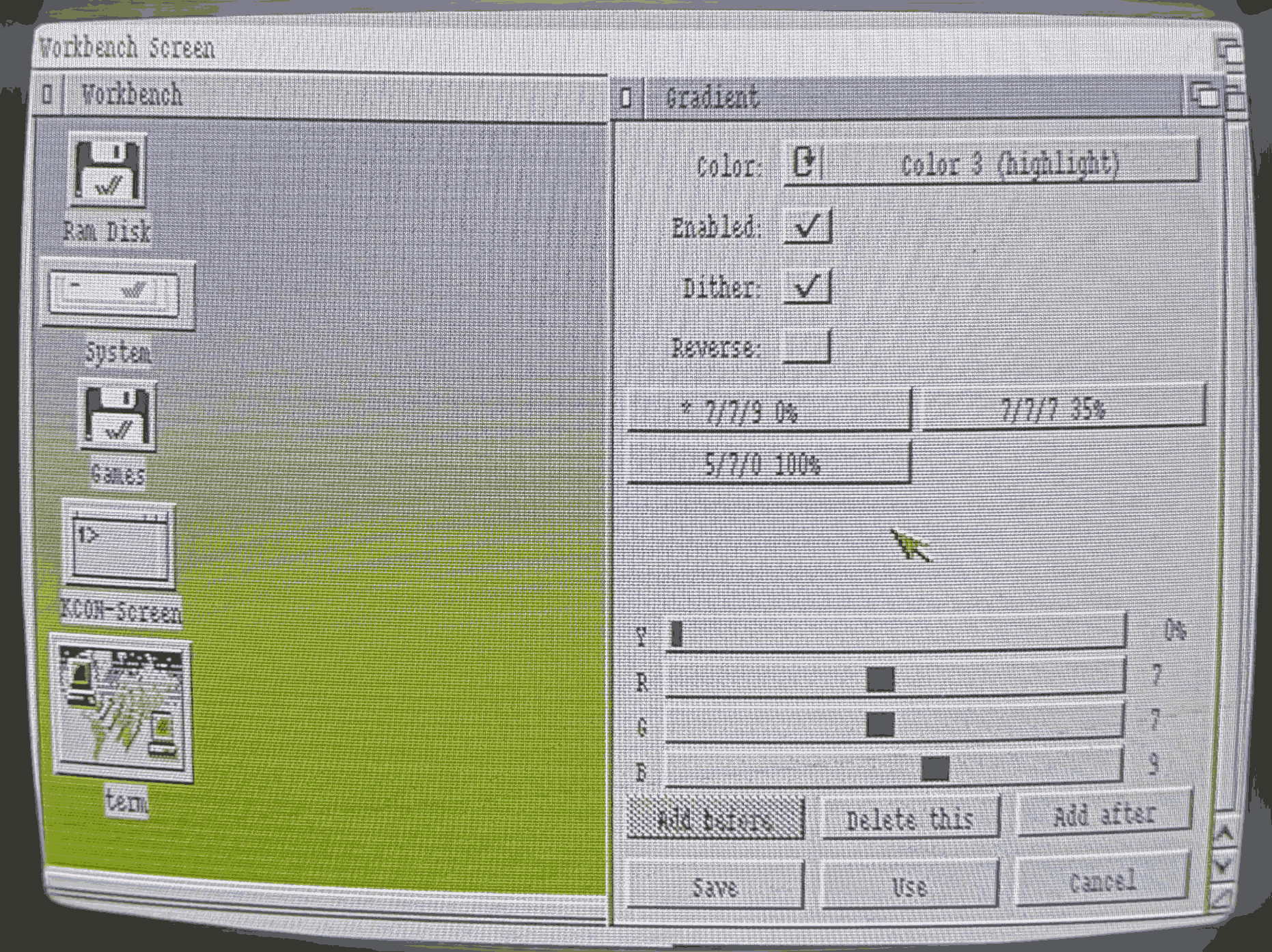
Gradient
Gradient is a small Amiga Commodity I wrote for my Amiga 600. It drives one or more Workbench color registers from a user copperlist, painting smooth dithered vertical gradients across the desktop.
It runs as a background broker registered with Commodities Exchange (so you can show / hide / disable / remove it through the standard Exchange app), keeps its settings in ENVARC:Gradient.prefs, and is fully WHDLoad-safe - the gradient temporarily disappears while a game has the chipset, and returns automatically when the game exits.
Source & download
Source code, build instructions, and end-user install / usage docs:
https://github.com/arttu76/gradient
The repository contains the C source (gradient.c), a Makefile that cross-compiles to AmigaOS Hunk format using vbcc, and documentation: README.md for installing and using the binary on the Amiga side, BUILDING.md for setting up the cross-toolchain on Linux.
Features
- Drives any of the 4 Workbench color registers via copperlist; each register independently enabled, dithered (ordered vertical Bayer), or reversed.
- Up to 8 gradient stops per register, edited via a GadTools window with R / G / B / Y sliders that update the live copperlist as you drag.
- Standard Amiga prefs convention: Save (write
ENVARC:+ENV:), Use (writeENV:only), Cancel (revert). - Commodities Exchange integration: Show / Hide pop the editor window; Enable / Disable attach / detach the copperlist; Remove quits.
- Launching
Gradientwhile it's already running pops the editor window (CommoditiesNBU_UNIQUE) - never two instances fighting over the copperlist. - Project menu, About... dialog, working
$VER:cookie for AmigaDOSVersion. - Task priority dropped to -1 at startup - the copper does all the work, the program just sleeps on signals.
- Tooltype-aware Workbench launch:
BACKGROUNDskips the editor window at boot,LOAD=pathloads a custom preset.
Target hardware
Built and tested on Amiga 600 with Kickstart / Workbench 3.1 (ECS, 68000). Should work on any OS 3.x Amiga - it uses only V37+ APIs and 68000-only instructions.
Install & configure
Short version: copy Gradient into SYS:Tools/Commodities/, copy a Blanker icon as a template, double-click on Workbench, edit, click Save. To autostart at boot, put a copy in SYS:WBStartup/ with DONOTWAIT and BACKGROUND tooltypes.
Full step-by-step instructions are in the README: README on GitHub.